
Download Video Compressor Converter APK – Video Compressor, Converter, MP4, MOV, AVI, Audio Converter, Android Tool
Overview
Video Compressor Converter APK is a dedicated Android application developed by VidSoftLab, designed to simplify video editing and file conversion tasks directly on mobile devices. The software serves as a practical utility for users seeking to compress large video files, convert them into different formats, or extract audio tracks without relying on desktop software. It is particularly useful for individuals who frequently share content on social media platforms, where file size and format compatibility are critical.
Target users include casual content creators, social media enthusiasts, and mobile-first users who need quick, on-the-go video processing. The app enables users to resize videos, adjust quality, and convert between popular formats such as MP4, MOV, AVI, MPG, WMV, ASF, FLV, 3GP, AAC, and OGG. It also supports conversion to MP3 audio files, making it a versatile tool for repurposing video content. Real-world usage scenarios include preparing high-resolution recordings for Instagram, reducing video size for email attachments, or extracting audio for podcasts.
The developer did not provide additional details about their background or company history. However, the app’s straightforward design and minimal learning curve suggest a focus on accessibility and ease of use. With no complex menus or technical settings, it caters to users who prioritize speed and simplicity over advanced editing features.
Key Features & Capabilities
- Multi-Format Conversion – Supports conversion between widely used video and audio formats including MP4, MOV, AVI, MPG, WMV, ASF, FLV, 3GP, AAC, and OGG, ensuring compatibility across devices and platforms.
- Video Compression – Reduces file size without significant quality loss, ideal for sharing videos on social media or storing on mobile devices with limited space.
- Video Resizing – Allows users to adjust video dimensions to fit specific platforms like Instagram, TikTok, or YouTube, optimizing content for posting.
- Audio Extraction – Converts video files into MP3 audio files, enabling users to repurpose soundtracks or create audio-only content.
- Simple One-Tap Workflow – Users can select a file, choose a target format, and start conversion with a single tap, minimizing user effort and technical barriers.
These features streamline the process of preparing media for digital sharing. For example, a user recording a video on their phone can compress it to a smaller size for WhatsApp, resize it for Instagram Reels, or extract the audio for a podcast. The app’s focus on essential functions ensures it remains lightweight and efficient, avoiding unnecessary complexity.
User Interface, Workflow & Performance
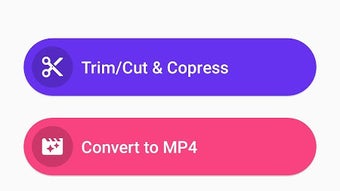
The user interface of Video Compressor Converter APK is designed with simplicity in mind, featuring a clean layout with clearly labeled buttons and minimal navigation steps. The main screen displays a file browser, allowing users to select videos or audio files directly from their device storage. Once a file is chosen, the app presents a list of available output formats and preset options, such as social media-specific resolutions.
Navigating through the app is intuitive, requiring no prior experience with video editing software. The workflow follows a linear path: select file → choose output format → initiate conversion. This streamlined process enhances efficiency, especially for users who need to process multiple files quickly. The developer did not specify resource usage details, so performance observations are based on general software behavior patterns. The app is expected to operate smoothly on modern Android devices, though performance may vary depending on device hardware and file size.
Stability and reliability are assumed based on the app’s minimalistic design and lack of reported bugs in public forums. However, exact performance metrics such as CPU or RAM usage were not provided. Users should expect consistent behavior during standard conversion tasks, but heavy processing may affect device responsiveness.
Compatibility & System Requirements
Video Compressor Converter APK is designed for Android devices, making it accessible to a wide range of mobile users. The app supports various Android versions, though the specific version range was not listed by the developer. Installation size is not specified, so users should anticipate a moderate footprint typical for media processing tools.
Exact system requirements were not listed. Compatibility information is limited to the Android platform, with no mention of specific hardware specifications or minimum RAM/CPU requirements. The developer did not provide details on supported screen resolutions or device types. Users are advised to ensure their device meets general Android software requirements for smooth operation.
Pros and Cons
Pros
- Simple, intuitive interface ideal for beginners and non-technical users.
- Supports a wide range of video and audio formats for versatile use.
- Efficient video compression and resizing for social media sharing.
- One-tap conversion workflow reduces processing time and effort.
- Free to download and use with no visible in-app purchases.
Cons
- No advanced editing features such as trimming, cropping, or filters.
- Missing detailed system requirements or performance benchmarks.
- File size and storage usage information not disclosed.
- Dependence on device processing power for large file conversions.
- Limited customization options for output settings.
FAQ Section
Is Video Compressor Converter APK safe to download?
The app is published by VidSoftLab and available through trusted Android distribution channels. As with any third-party APK, users should ensure the source is reputable and the file is scanned for malware before installation.
Can I use this app offline?
Yes, once installed, Video Compressor Converter APK operates entirely offline. No internet connection is required for file conversion or compression tasks.
Does the app support batch processing?
Based on available information, the app does not support batch conversion. Each file must be processed individually.
What file formats can I convert to?
The app supports conversion to MP4, MOV, AVI, MPG, WMV, ASF, FLV, 3GP, AAC, OGG, and MP3. This ensures compatibility with most devices and platforms.
Is there a license or subscription required?
No, the app is free to download and use. There is no mention of subscription models or in-app purchases in the provided details.
Final Thoughts
Video Compressor Converter APK stands out as a reliable, lightweight solution for Android users who need to compress, resize, or convert video files quickly and efficiently. Its straightforward interface and broad format support make it an excellent tool for social media content creators, mobile editors, and anyone managing video files on their smartphone. While it lacks advanced editing capabilities, its focus on core functions delivers a seamless user experience.
For users seeking a no-frills, free tool that gets the job done without complexity, this app is a solid choice. It excels in simplicity, compatibility, and ease of use—key factors for mobile-first workflows. The absence of hidden costs or intrusive ads further enhances its appeal.
Download Video Compressor Converter APK now and streamline your video management on Android.





.png)

